Welcome to LightlyStudio!
One integrated computer vision platform for labeling, curation, QA, and dataset management. Open-source at its core, LightlyStudio is built for ML engineers and organizations scaling computer vision.
-
Working in a team and looking for collaboration features, role-based access permissions, and centrally managed cloud credentials?
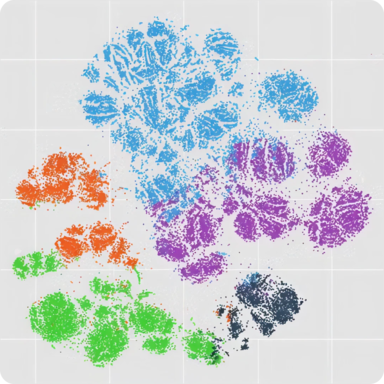
The embedding plot shows how images relate to each other, with a preview on hover. A lasso selection filters the grid to one cluster. A search for "coffee" finds a match, and the annotation editor opens to label it.
⚡ Works smoothly with 2M+ images, embeddings included, on a single MacBook (M1, 16GB RAM).
pip install lightly-studio
Try it in 60 seconds
Want to try LightlyStudio instantly? Run:
lightly-studio quickstart
This downloads the COCO example dataset, loads it, and opens the GUI in your browser.
Overview
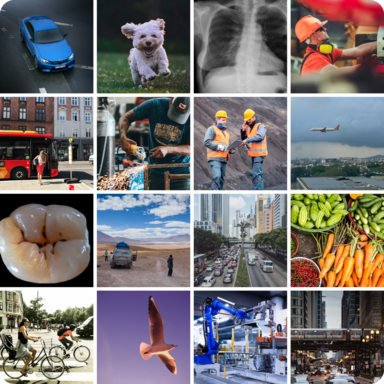
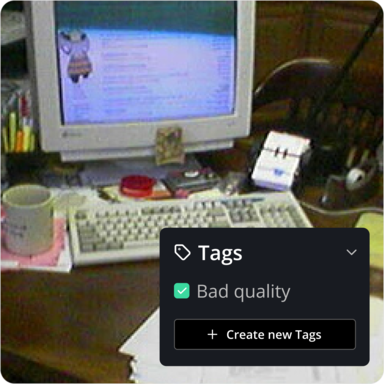
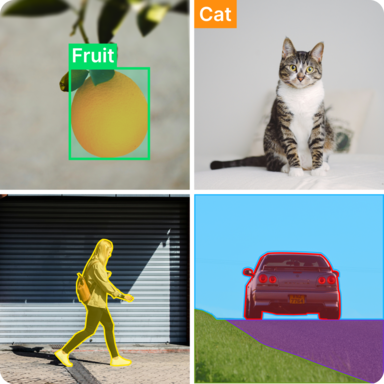

Quickstart
LightlyStudio works on Windows, Linux, and macOS with Python 3.9 to 3.14. We recommend Python 3.10 for the best compatibility with plugins such as SAM autolabeling.
Recommended: install into a virtual environment
A virtual environment keeps LightlyStudio and its dependencies separate from other Python projects on your machine:
python3 -m venv venv
source venv/bin/activate
pip install lightly-studio
python -m venv venv
.\venv\Scripts\activate
pip install lightly-studio
The examples below use the same example dataset by default, downloaded on the first run. Point them at your own image, video, or YOLO/COCO dataset by changing the input path.
-
Create a file named
example_coco.pywith the following contents:example_coco.pyimport lightly_studio as ls # Download the example dataset (will be skipped if it already exists) dataset_path = ls.utils.download_example_dataset(download_dir="dataset_examples") dataset = ls.ImageDataset.load_or_create() dataset.add_samples_from_coco( annotations_json=f"{dataset_path}/coco_subset_128_images/instances_train2017.json", images_path=f"{dataset_path}/coco_subset_128_images/images", ) # Optional: tag a subset of samples to filter them in the GUI. dataset.query()[:10].add_tag("sample_subset") ls.start_gui() -
Run
python example_coco.pyin your terminal. - Click on the printed URL to open the app in your browser.
-
Create a file named
example_yolo.pywith the following contents:example_yolo.pyimport lightly_studio as ls # Download the example dataset (will be skipped if it already exists) dataset_path = ls.utils.download_example_dataset(download_dir="dataset_examples") dataset = ls.ImageDataset.load_or_create() dataset.add_samples_from_yolo( data_yaml=f"{dataset_path}/road_signs_yolo/data.yaml", ) ls.start_gui() -
Run
python example_yolo.pyin your terminal. - Click on the printed URL to open the app in your browser.
Add images that have no annotations. LightlyStudio indexes and embeds them.
-
Create a file named
example_image.pywith the following contents:example_image.pyimport lightly_studio as ls # Download the example dataset (will be skipped if it already exists) dataset_path = ls.utils.download_example_dataset(download_dir="dataset_examples") # Indexes the dataset, creates embeddings and stores everything in the database. dataset = ls.ImageDataset.load_or_create() dataset.add_images_from_path( path=f"{dataset_path}/coco_subset_128_images/images", ) # Start the UI server on localhost port 8001. # Pass `host` and `port` parameters to customize. ls.start_gui() -
Run
python example_image.pyin your terminal. - Click on the printed URL to open the app in your browser.
Add videos that have no annotations. LightlyStudio indexes and embeds them.
-
Create a file named
example_video.pywith the following contents:example_video.pyimport lightly_studio as ls # Download the example dataset (will be skipped if it already exists) dataset_path = ls.utils.download_example_dataset(download_dir="dataset_examples") # Create a dataset and populate it with videos. dataset = ls.VideoDataset.load_or_create() dataset.add_videos_from_path(path=f"{dataset_path}/youtube_vis_50_videos/train/videos") # Start the UI server. ls.start_gui() -
Run
python example_video.pyin your terminal. - Click on the printed URL to open the app in your browser.
Tip
Call lightly-studio gui instead of ls.start_gui() in Python to skip reindexing
an already-loaded dataset.
Ready for a complete, end-to-end workflow? Follow the tutorial Curate a Traffic CCTV Dataset for YOLO Training to explore embeddings, remove near-duplicates, auto-label, and train a model — or browse all tutorials.
How It Works
- Your Python script creates a LightlyStudio dataset.
- The
dataset.add_<samples>_from_<source>functions read your samples and annotations, calculate embeddings, and save metadata to a locallightly_studio.dbfile (using DuckDB). ls.start_gui()starts a local backend API server.- This server reads from
lightly_studio.dband serves data to the UI Application running in your browser (by defaulthttp://localhost:8001). - Images and videos are streamed from their original local folder or remote storage for display in the UI.
Python API
LightlyStudio has a powerful Python interface. You can not only index datasets but also query and manipulate them using code. It supports local and cloud-hosted image and video folders; see Using Cloud Storage for setup and limitations.
