Custom Embeddings
This guide shows how to use your own embedding model with LightlyStudio Enterprise. It is
intended for admins who add data from Python with ls.connect(). For the
embedder interfaces and code examples, see
Using Your Own Embeddings.
The enterprise instance stores the vectors that you add from Python. The embedding plot and sampling read the stored vectors, so they work with any model. Similarity search and text axes must embed each query while the GUI runs, so they need a remote embedder.
Choose a Setup
Your model runs on a server. The remote embedder embeds your data at ingestion and also
embeds the search queries. Register it with ls.register_default_embedder before you add
data. To embed images and image queries, the server must implement ImageBytesEmbedder.
For text search and text axes, it must also implement TextEmbedder.
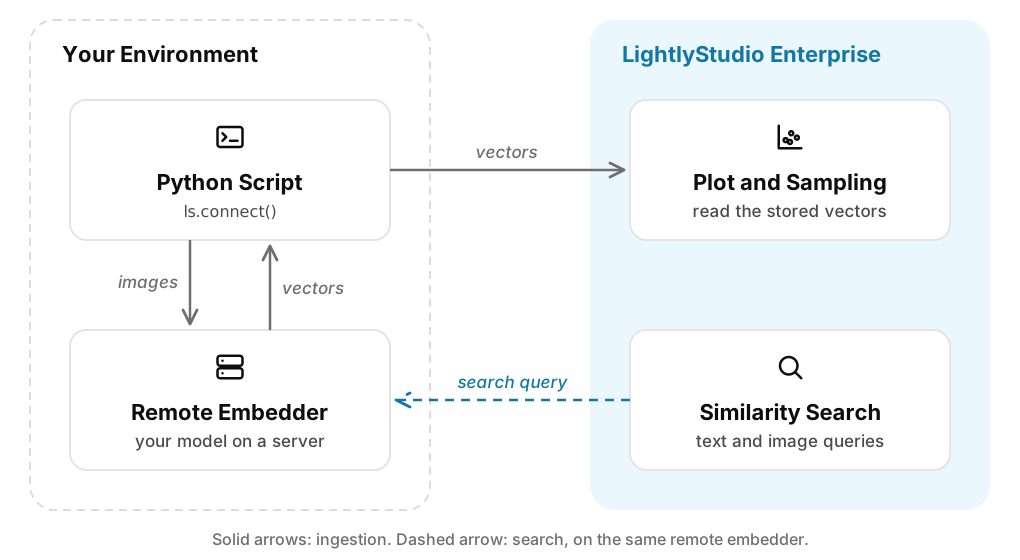
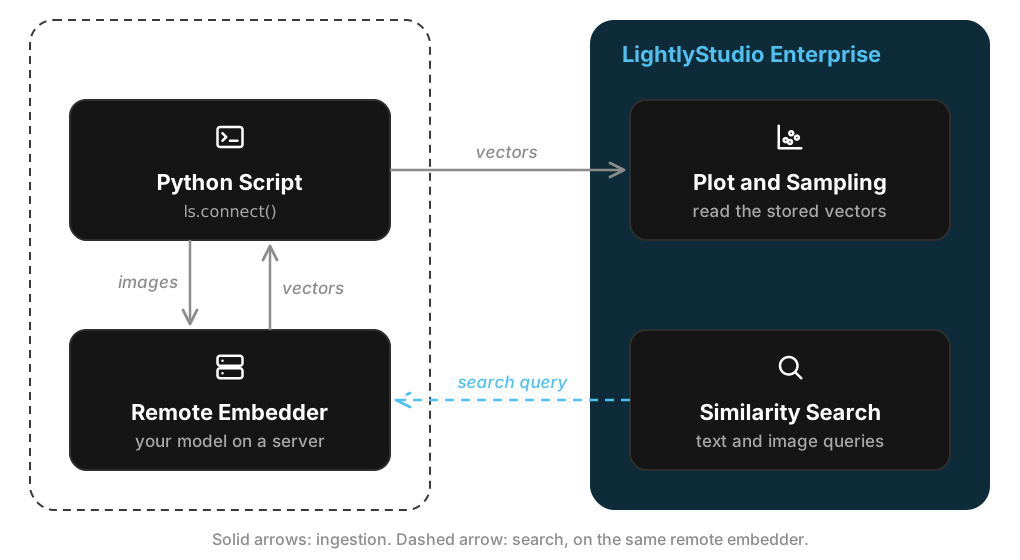
The dataset stores the URL of the server. Search then uses the same server, with no other registration. See Serving an Embedder from a Remote Server.
Your model runs in the Python script. Register the local embedder with
ls.register_default_embedder before you add data. It can run your model, or it can load
vectors that you computed before.
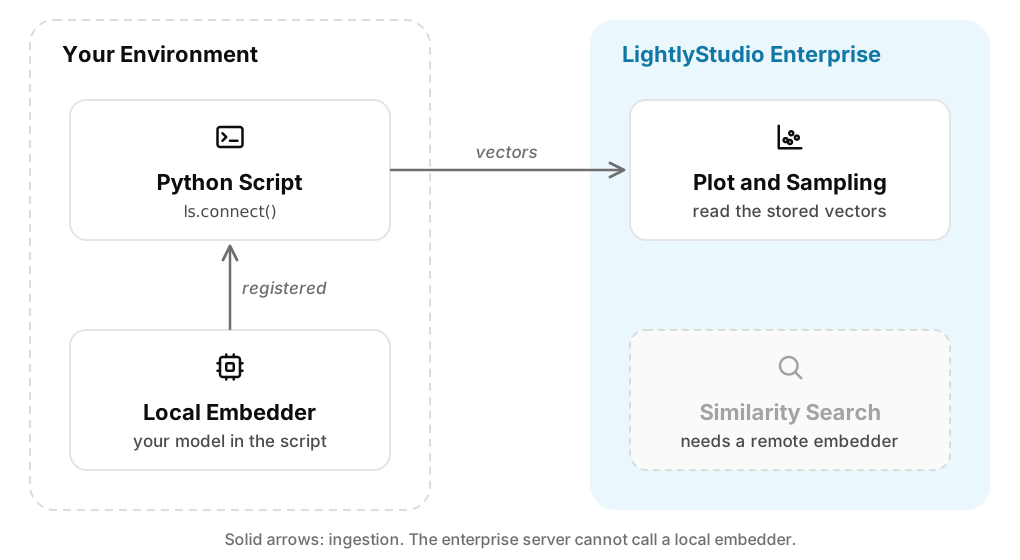
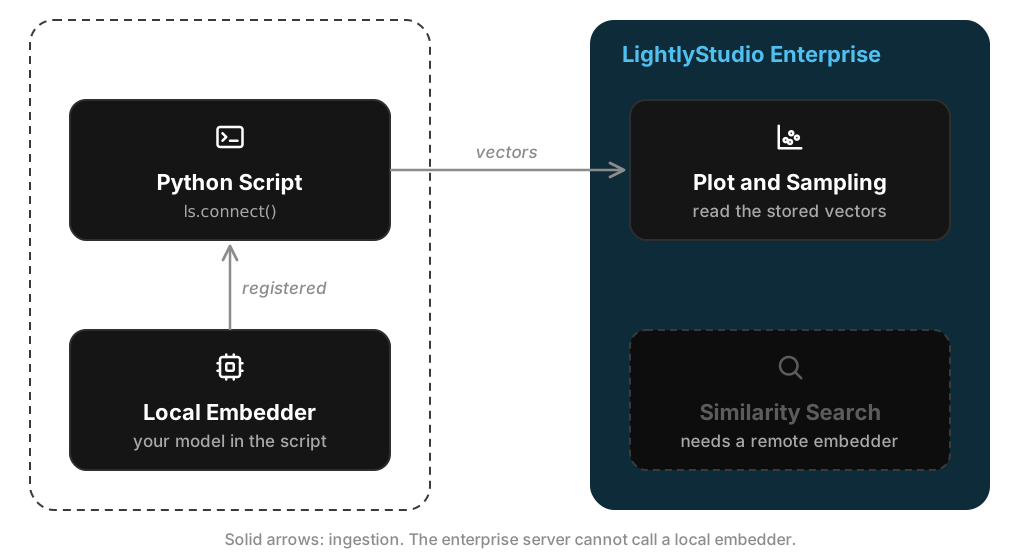
The enterprise server cannot call a local embedder. As a result, similarity search and text axes are not available in this setup. To use them, choose a remote embedder.
Reach the Remote Embedder
The Python client contacts the server of the remote embedder when you register it. The enterprise server sends each search query to it. Both must be able to reach the URL of the server.
Each process checks the URL before it connects. If
LIGHTLY_STUDIO_REMOTE_EMBEDDER_ALLOW_PRIVATE_URLS is False, the process accepts only an
HTTPS URL that resolves to public addresses. The default is True, which also accepts
private addresses.
